 Dell XPS 13 2026Best overall
- Processor
- Intel Core 5 320
- Memory
- 8GB LPDDR5x
- Storage
- 512GB SSD
- Display
- 13.4-inch 2560 x 1600 touchscreen, 120Hz
Most recommended by reviewers
Check price at Amazon
We earn a commission when you buy through our links, at no extra cost to you. How this works.
The Dell XPS 13 is a slim laptop for students, commuters and anyone who wants a premium build without paying for a gaming machine. The right model depends mostly on memory, processor and budget.
The best all-round pick is the 2026 model with the Intel Core 5 320, 8GB memory and 512GB storage, which reviewers recommend as the closest Windows rival to a budget MacBook. Our other picks cover a bigger-memory upgrade, a Snapdragon AI version, a faster Core Ultra model and a budget used model.
1 13 2026 | 2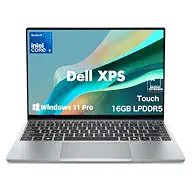 13 Touchscreen | 3 13 Snapdragon | 4 13 9350 | 5 13 9360 | |
|---|---|---|---|---|---|
| Best for | Best overall | Best for more memory | Best for AI and battery | Best for performance | Best budget |
| Processor | Intel Core 5 320 | Intel Core 5 320 | Snapdragon X Elite X1E-80-100 | Intel Core Ultra 7 258V | Intel Core i5-7200U (Kaby Lake) |
| Memory | 8GB LPDDR5x | 16GB LPDDR5X | 32GB LPDDR5X | 32GB DDR5 | 8GB DDR3 |
| Storage | 512GB SSD | 512GB SSD | 1TB SSD | 1TB SSD | 128GB SSD |
| Display | 13.4-inch 2560 x 1600 touchscreen, 120Hz | 13.4-inch 2560 x 1600 touchscreen, 120Hz | 13.4-inch 2K IPS, 30-120Hz | 13.4-inch WUXGA, 120Hz | 13.3-inch Full HD touchscreen |
| Weight | About 2.2 lbs | About 2.2 lbs | About 2.62 lbs | Not listed | Not listed |
| Battery | Up to 17 hours (listing claim) | 52Wh battery | 55Wh battery | Up to 26 hours (listing claim) | Not listed |
| Check price at Amazon | Check price at Amazon | Check price at Amazon | Check price at Amazon | Check price at Amazon |
Dell XPS 13 2026Best overallMost recommended by reviewers
Check price at Amazon Dell XPS 13 TouchscreenBest for more memory
 Dell XPS 13 SnapdragonBest for AI and battery
 Dell XPS 13 9350Best for performance
 Dell XPS 13 9360Best budget


The best value XPS 13 for most buyers, with a bright 120Hz touchscreen and an 8-in-1 dock included.
Most recommended by reviewers
Check price at AmazonPrices and availability on Amazon change often.
For most shoppers looking at the Dell XPS 13 line, the 2026 Ultra-Light model is the one we'd pick: a bright 120Hz touchscreen, a light build at about 2.2 lbs, and an 8-in-1 dock included.
The aluminum body feels slick and high-quality for a laptop at this price, and reviewers have called it the closest Windows equivalent to Apple's cheapest MacBook. The 2560 x 1600 touchscreen with up to 120Hz and 500 nits makes it pleasant for everyday work and streaming. Owners have not yet shared reports for this model, so the picture here rests on specs and expert reviews.
The 8GB of memory is the main compromise, and one review noted it caused compatibility issues in some apps and may put buyers off entirely. If you multitask heavily, the 16GB version of this laptop avoids that limit at a higher price.
If it's not for you, the 16GB Core 5 320 model suits buyers who want more memory, and the Core Ultra 7 model with 32GB and two Thunderbolt 4 ports suits heavier workloads at a higher price.
One expert review named this 2026 XPS 13 an Editors' Choice for budget Windows ultraportables and called it the closest Windows equivalent to Apple's cheapest MacBook. The all-aluminum body and 1600p 120Hz touchscreen stand out at this price.
The 8GB memory is the trade-off. The same review warned it may put buyers off, so check whether your apps need more.
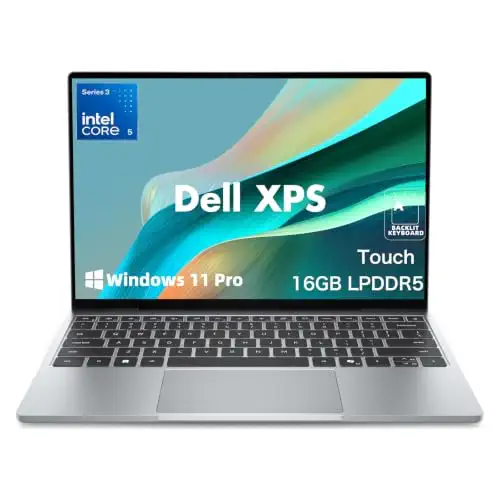


Same 2.5K touch display as the top pick, with double the memory for multitasking.
Prices and availability on Amazon change often.
If the 8GB of the top pick is the sticking point, this model keeps the same 2.5K touchscreen and light build but doubles the memory. Reviewers said the Core 5 320 is the only CPU option at launch, so memory is the main upgrade.


A Copilot+ PC with Snapdragon power, 32GB memory and a 1TB drive for demanding work.
Prices and availability on Amazon change often.
This is the most capable of the Snapdragon XPS 13s on our list, with 32GB memory and a 1TB drive. The 55Wh battery and 60W charger suit travel, and it has a fingerprint reader and Wi-Fi 7.


A faster Core Ultra 7 with 32GB memory and Thunderbolt 4 ports for serious work.
Prices and availability on Amazon change often.
For buyers who need more speed than the Core 5 models, the Core Ultra 7 258V with 32GB memory is the strongest XPS 13 here. Two Thunderbolt 4 ports support multi-monitor setups.
One review noted the keyboard can be unpleasant for heavy typing, so try it before buying if that matters to you.


A cheaper older XPS 13 for light use, with a touchscreen and Thunderbolt 3.
Prices and availability on Amazon change often.
One expert review praised the Kaby Lake XPS 13 as a fantastic 13-inch laptop, with an aluminum build and a touchscreen option. It is the oldest model here and has less storage, so suit it to light use only.
If you want a light laptop for school, office work and travel, the 2026 Core 5 models are the easiest choice. If you run heavy apps, pick a model with 16GB or 32GB memory.
Yes, for most people who want a light, well-built Windows laptop. Expert reviewers praised its aluminum build and bright displays, though 8GB memory is the main limit on the cheapest models.
It is worth buying if portability and build quality matter to you. The 16GB and 32GB models are worth considering if you run demanding apps.
For most buyers, the 2026 Core 5 320 model with 8GB memory is the best value. Choose the 16GB or Core Ultra models if you multitask heavily.
Prices vary by configuration and are shown live on Amazon. Check the price at the time you buy.
Only light games. The XPS 13 uses integrated graphics, so demanding titles need low resolution and settings.
Why trust CheckedBest
This shortlist is built from five Amazon listings for the Dell XPS 13, all checked to be in stock, and weighed against four expert reviews. Picks are chosen for price, memory, processor and display.
Our expert team tests products when it is needed and researches online and in interviews. Every guide is fact-checked and edited by a real person.
The CheckedBest editorial team · Updated Nov 8, 2026
How we pickEditorial standardsAffiliate disclosureReport a mistake
We earn a commission when you buy through our links, at no extra cost to you. It never decides the winner.
