 LG 27GR83Q-BBest overall
- Resolution
- 2560 x 1440
- Refresh rate
- 240Hz
- Response time
- 1ms (GtG)
- Panel
- IPS
Most recommended by reviewers
Check price at Amazon

Reviewed by
Content Reviewer & Fact-Checker
I’m an e-commerce content reviewer and fact-checker with a background in copywriting and over six years of professional experience.
We earn a commission when you buy through our links, at no extra cost to you. How this works.
If you play on an Xbox Series X, the monitor you choose decides whether you get its 4K at 120Hz performance or leave it on the table. Most gamers want sharp, smooth picture without paying for a TV-sized screen.
The LG 27GR83Q-B is our top pick for most players: a 1440p, 240Hz IPS panel with HDMI 2.1 that suits a 27-inch desk. Below it, the Samsung Odyssey G5 is a budget option and the ASUS ROG OLED is for players who want the best picture money can buy.
1 LG 27GR83Q-B | 2 Samsung Odyssey G5 | 3 AOC Q27GAZDV | |
|---|---|---|---|
| Best for | Best overall | Best budget | Best premium picture |
| Resolution | 2560 x 1440 | 2560 x 1440 | 2560 x 1440 |
| Refresh rate | 240Hz | 180Hz | 240Hz |
| Response time | 1ms (GtG) | 1ms | 0.03ms |
| Panel | IPS | Not listed | QD-OLED |
| HDMI 2.1 | Yes | Not stated in listing | Yes |
| Adaptive sync | G-Sync Compatible, FreeSync Premium | AMD FreeSync | Not listed |
| Check price at Amazon | Check price at Amazon | Check price at Amazon |
LG 27GR83Q-BBest overallMost recommended by reviewers
Check price at Amazon Samsung Odyssey G5Best budget
 AOC Q27GAZDVBest premium picture


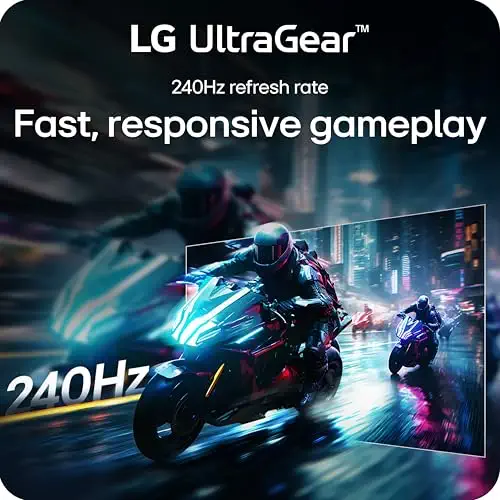


A 1440p, 240Hz IPS monitor with HDMI 2.1 and G-Sync compatibility, a strong all-round choice for the Xbox Series X.
Most recommended by reviewers
Check price at AmazonPrices and availability on Amazon change often.
The LG 27GR83Q-B is our pick for anyone wanting a sharp, fast monitor for an Xbox Series X, since it pairs 1440p resolution with a 240Hz refresh rate.
This 27-inch IPS panel runs at 2560 x 1440 with a 240Hz refresh rate and a 1ms (GtG) response time, which is a rare combination of smoothness and detail at this size. It includes HDMI 2.1 and DisplayPort 1.4, so both connections can deliver up to 240Hz. Its IPS picture supports up to 95 percent (Typ.) of the DCI-P3 color gamut with HDR400, and it carries both G-SYNC Compatible and FreeSync Premium validation for tear-free play.
Reviewers note it could be cheaper for the performance it offers, so budget-minded buyers may find the price harder to justify. The 240Hz refresh rate is also the highest among our picks, which makes it the strongest choice for fast action on the console.
If it's not for you, the Samsung Odyssey G5 suits buyers who want a lower price with 1440p and 180Hz, while the AOC Q27GAZDV suits those who want the deepest blacks and will pay a premium for QD-OLED.
The LG 27GR83Q-B sits at a sweet spot for Xbox owners. Its 1440p resolution looks sharp on a 27-inch screen, and the 240Hz refresh rate is well above what the console can deliver, so motion stays smooth in every game.
HDMI 2.1 support means it can accept the Series X's 4K signal at 120Hz when you want it, and adaptive sync cuts tearing. Expert reviewers praise its low input lag and say it suits players who value panel quality and performance over extra features.


A cheaper 1440p, 180Hz monitor with HDR10 and AMD FreeSync, a solid way to get smooth gaming on a tight budget.
Prices and availability on Amazon change often.
If you want smooth 1440p gaming without spending much, the Samsung Odyssey G5 is a good fit. It offers a 180Hz refresh rate and a 1ms response time, which keeps fast action clear.
The Black Equalizer and height-adjustable stand are useful extras. Check the HDMI version before buying if you want 4K at 120Hz from the Series X.


A 1440p QD-OLED with true blacks, vivid colour and HDMI 2.1, for players who want the most striking picture.
Prices and availability on Amazon change often.
The AOC Q27GAZDV uses a QD-OLED panel, so blacks are truly black and colours look rich. Its 240Hz refresh and 0.03ms response time make it a strong match for fast Xbox games.
Owners who want the best picture and can pay for it will appreciate it. Expert advice in our research says OLED offers better colour than LCD or LED, and a 3-year warranty helps offset the cost.
Look for HDMI 2.1 so the Series X can send 4K at 120Hz. A 1440p or 4K panel with at least 60Hz is a sensible minimum, and a dedicated gaming monitor with low input lag suits the console best.
If you want a very large screen or 4K at 120Hz on a bigger panel, a 4K TV that supports 120Hz may suit you better. Monitors are best for desk-sized screens.
The LG 27GR83Q-B is our top pick. It offers 1440p at 240Hz with HDMI 2.1, which suits most Xbox players.
Few of the monitors we found list 4K at 120Hz confirmed in the listing. Check that the monitor has HDMI 2.1 before buying if 4K at 120Hz is your goal.
The LG 27GR83Q-B runs at 240Hz at 1440p and is the strongest option here for 1440p gaming.
Smoothness usually matters more for gaming. Many Xbox games run at 4K 60Hz or 1440p at 120Hz, so a high refresh rate is often the bigger gain.
Meet the reviewer
Content Reviewer & Fact-Checker
I’m an e-commerce content reviewer and fact-checker with a background in copywriting and over six years of professional experience. My experience in creating and refining digital content allows me to assess product information, review written content for accuracy and clarity, and help ensure shoppers have access to reliable, informative and engaging content.
Why trust CheckedBest
We built this shortlist from three Amazon listings that are in stock now, checked against expert reviews and Xbox owner discussions. Each pick is weighed on resolution, refresh rate, HDMI 2.1 support and price.
Our expert team tests products when it is needed and researches online and in interviews. Every guide is fact-checked and edited by a real person.
The CheckedBest editorial team · Updated Nov 7, 2026
How we pickEditorial standardsAffiliate disclosureReport a mistake
We earn a commission when you buy through our links, at no extra cost to you. It never decides the winner.
