SanDisk 512GB microSD ExpressBest overall
- Capacity
- 512GB
- Read speed
- up to 880 MB/s
- Write speed
- up to 650 MB/s
- Standard
- microSD Express, U3, C10
Most recommended by reviewers
Check price at Amazon

Reviewed by
Fact-checker and content editor
Experienced researcher and AI content editor, having worked on various merchant websites.
We earn a commission when you buy through our links, at no extra cost to you. How this works.
If you're buying a Switch 2 memory card, you need a microSD Express card. A regular microSD won't work, and the choice comes down to how many games you keep on the console and how much you want to spend. For most people, the SanDisk 512GB is the one to buy: it's fast, reviewers rate it highly, and 512GB fits a big library without running out.
The rest of the list covers a budget option, a faster 1TB option and cheaper 256GB and 512GB cards, so you can pick the size and price that suit you.
1 SanDisk 512GB microSD Express | 2 Samsung P9 Express 512GB | 3 Lexar PLAY PRO 1TB | 4 SanDisk 256GB microSD Express | 5 TEAMGROUP APEX 1TB | |
|---|---|---|---|---|---|
| Best for | Best overall | Best value | Best 1TB | Best 256GB | Best 1TB alternative |
| Capacity | 512GB | 512GB | 1TB | 256GB (about 235GB usable) | 1TB |
| Read speed | up to 880 MB/s | up to 800 MB/s | up to 900 MB/s | up to 880 MB/s | up to 800 MB/s |
| Write speed | up to 650 MB/s | Not stated on listing | up to 600 MB/s | up to 650 MB/s | up to 700 MB/s |
| Standard | microSD Express, U3, C10 | Not listed | microSD Express, V30 | microSD Express, U3, C10 | microSD Express, U3, A1, V30 |
| Check price at Amazon | Check price at Amazon | Check price at Amazon | Check price at Amazon | Check price at Amazon |
SanDisk 512GB microSD ExpressBest overallMost recommended by reviewers
Check price at Amazon Samsung P9 Express 512GBBest value
 Lexar PLAY PRO 1TBBest 1TB
 SanDisk 256GB microSD ExpressBest 256GB
 TEAMGROUP APEX 1TBBest 1TB alternative


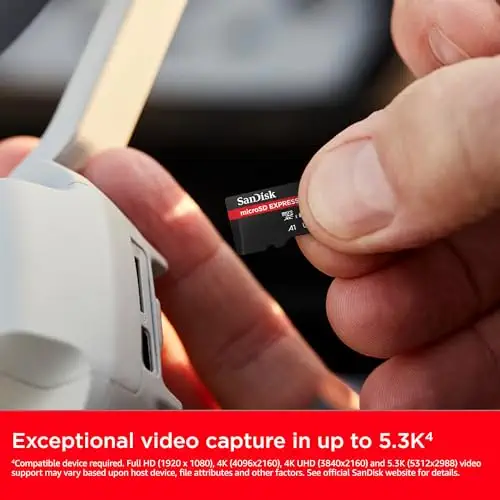
The one most reviewers pick: fast, dependable and a sensible size for most libraries.
Most recommended by reviewers
Check price at AmazonPrices and availability on Amazon change often.
For most Switch 2 owners, the SanDisk 512GB microSD Express Card is the pick that gets the job done with no fuss, pairing plenty of room for big games with speeds that hold up well.
Reviewers found it had no outliers across many game loading tests and stayed near the top when moving games to and from system storage. It reads at up to 880 MB/s and writes at up to 650 MB/s, and it is rated waterproof, shock-proof and temperature-proof. One owner notes that SanDisk microSD Express prices are probably the most reasonable quality-to-price ratio. Owners on r/NintendoSwitch report that a speed test found the SanDisk Express card marginally fastest of the three tested.
It costs more than most rivals at this size, and reviewers found it the most expensive of the cards they tested, $10 to $20 more than alternatives. The 128GB version writes much more slowly, so the 512GB is the one to choose. The warranty is not stated on the listing, though one review cites a lifetime warranty.
If it's not for you, the Samsung P9 Express 512GB offers a 3-year limited warranty at a lower price, and the Lexar 1TB PLAY PRO suits anyone who wants the most storage and the fastest read speed of the 1TB cards.
Reviewers found this card consistently near the top when moving games to and from system storage, with no outliers across many loading tests. A 512GB size holds a large library of digital games and DLC, so you won't need another card soon.
It is the priciest of the cards tested, so it makes most sense if speed and reliability matter more to you than the lowest price.


A cheaper 512GB card with a three-year warranty, for a similar amount of space.
Prices and availability on Amazon change often.
The Samsung P9 Express gives you 512GB for less than the SanDisk, with a three-year limited warranty that is longer than many rivals offer.
Its read speed is lower than the top pick, but for most game loads the difference is small. It is a good choice if you want the space without paying for the fastest card.


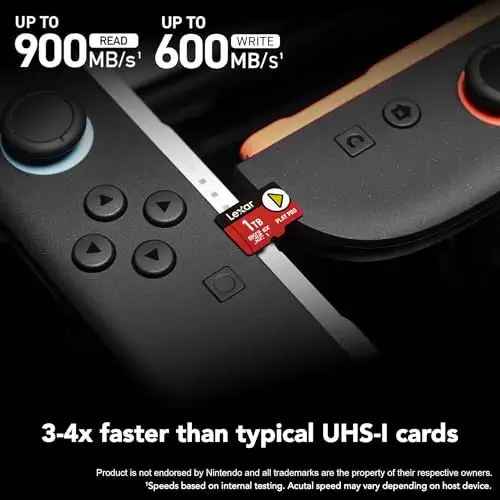


The best-value 1TB card for a very large library.
Prices and availability on Amazon change often.
If you want a huge library on one card, the Lexar 1TB offers the fastest read speed of the 1TB options and reviewers rated its value per gigabyte well.
At this price it is a significant purchase, so it suits people who buy most games digitally and do not want to swap cards.


The sensible size for mostly physical gamers, with the same speed as the 512GB model.
Prices and availability on Amazon change often.
256GB is enough for most players who buy physical games or swap out finished ones. You get the same speed as the 512GB SanDisk for less money, and reviewers and owners both say 256GB offers the best value for money at the time of writing.
If you download a lot of big digital games, step up to 512GB instead.


A fast 1TB card with a lifetime warranty for players who want maximum space.
Prices and availability on Amazon change often.
The TeamGroup Apex is a fast 1TB card rated at 800 MB/s read and 700 MB/s write, and it comes with a limited lifetime warranty. One expert review counted it among its top 1TB picks.
It is a strong choice for a huge library, though the Lexar is the cheaper 1TB card in most of the reviews we read.
Switch 2 games are mostly small, but large third-party titles run 20 to 60 GB each. Most physical gamers are well served by 256GB, while people who buy digital games should aim for 512GB so they don't have to swap cards.
1TB is only needed for very large digital libraries; reviewers consider it expensive for most players.
Only microSD Express cards work with the Switch 2. Regular microSD cards won't work at all, even very fast ones. Look for the words microSD Express on the packaging.
256GB suits mostly physical gamers, while 512GB suits people who buy many digital games. 1TB is only necessary for very large libraries.
Our top pick is the SanDisk 512GB microSD Express card. Reviewers consistently rated it near the top for moving games to and from system storage.
Yes. Reviewers advise installing a system update before using a microSD Express card with the console.
No. Nintendo recommends using a single microSD Express card, since data on multiple cards cannot be combined later.
Meet the reviewer
Fact-checker and content editor
Experienced researcher and AI content editor, having worked on various merchant websites. Experience in AI transcription, prompt engineering and taxonomy mapping for search engines.
Why trust CheckedBest
We built this shortlist from five Amazon listings, checked for stock and for the microSD Express standard the Switch 2 requires. We weighed what editorial reviews and owner discussions say about speed, warranty and value.
Our expert team tests products when it is needed and researches online and in interviews. Every guide is fact-checked and edited by a real person.
The CheckedBest editorial team · Updated Nov 4, 2026
How we pickEditorial standardsAffiliate disclosureReport a mistake
We earn a commission when you buy through our links, at no extra cost to you. It never decides the winner.