 HP ZBook 8 G1iBest overall
- Processor
- Intel Core Ultra 7 255H
- Graphics
- NVIDIA RTX 500 Ada, 4GB GDDR6
- Memory
- 32GB DDR5
- Storage
- 1TB PCIe NVMe SSD
Most recommended by reviewers
Check price at Amazon

Reviewed by
Content Reviewer & Fact-Checker
I’m an e-commerce content reviewer and fact-checker with a background in copywriting and over six years of professional experience.
We earn a commission when you buy through our links, at no extra cost to you. How this works.
Engineering students need a laptop that can run CAD, simulation and coding software without slowing down, and that still lasts through a full day of lectures. Budget and weight matter too, since you will carry it between classes.
Our No. 1 pick is the HP ZBook 8 G1i, a workstation-class machine with an Intel Ultra 7, RTX 500 Ada graphics and 32GB of memory, which suits serious 3D modeling. Our other picks cover a lighter AMD option and a budget-friendly choice for coursework.
1 ZBook 8 G1i | 2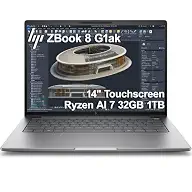 ZBook 8 G1ak | 3 OmniBook 16 | |
|---|---|---|---|
| Best for | Best overall | Best lightweight workstation | Best budget pick |
| Processor | Intel Core Ultra 7 255H | AMD Ryzen AI 7 PRO 350 | AMD Ryzen AI 7 445 |
| Graphics | NVIDIA RTX 500 Ada, 4GB GDDR6 | AMD Radeon 860M (integrated) | AMD Radeon 840M (integrated) |
| Memory | 32GB DDR5 | 32GB DDR5 | 16GB DDR5 |
| Storage | 1TB PCIe NVMe SSD | 1TB PCIe NVMe SSD | 1TB PCIe Gen4 NVMe SSD |
| Display | 16-inch WUXGA touchscreen, 300 nits | 14-inch WUXGA IPS touchscreen, 300 nits | 16-inch 2K IPS touchscreen, 300 nits |
| Ports | 2x Thunderbolt 4, HDMI 2.1, Ethernet | 2x Thunderbolt 4, HDMI 2.1, Ethernet | Not listed |
| Check price at Amazon | Check price at Amazon | Check price at Amazon |
HP ZBook 8 G1iBest overallMost recommended by reviewers
Check price at Amazon HP ZBook 8 G1akBest lightweight workstation
 HP OmniBook 16Best budget pick


A workstation-class laptop with a 16-inch touchscreen, 32GB of memory and an RTX 500 Ada graphics card, built for CAD, rendering and simulation.
Most recommended by reviewers
Check price at AmazonPrices and availability on Amazon change often.
For engineering students who run CAD and simulation software, the HP ZBook 8 G1i is the pick we'd make, because its dedicated RTX graphics and 32GB of memory are built for exactly that kind of work.
The ZBook 8 G1i pairs an Intel Core Ultra 7 255H with an NVIDIA RTX 500 Ada GPU, which is the dedicated graphics that SolidWorks and AutoCAD workloads call for. Its 32GB of DDR5 memory leaves room to keep several large models and simulations open at once. Two Thunderbolt 4 ports and a 16-inch WUXGA touchscreen give you a roomy workspace for drawings and multi-display setups.
The 4GB RTX 500 Ada is a modest GPU, so very large 3D scenes may still push it hard. Its 16-inch body is also heavier to carry across campus than the smaller options.
If it's not for you, the HP ZBook 8 G1ak suits students who want a lighter 14-inch machine for mostly 2D work, and the HP OmniBook 16-inch fits a tighter budget with 16GB of memory.
The ZBook 8 G1i gives you the most headroom of the three picks. Its Intel Ultra 7 and RTX 500 Ada GPU are built for the 3D modeling and simulation work that engineering courses increasingly demand, and the 32GB of DDR5 memory lets you keep CAD, a browser and a simulation open at the same time.
The 16-inch display and the two Thunderbolt 4 ports make it a comfortable desk machine that can drive external monitors. Expect it to be heavier and pricier than a general-purpose laptop, so it suits students who know their software will push the hardware.
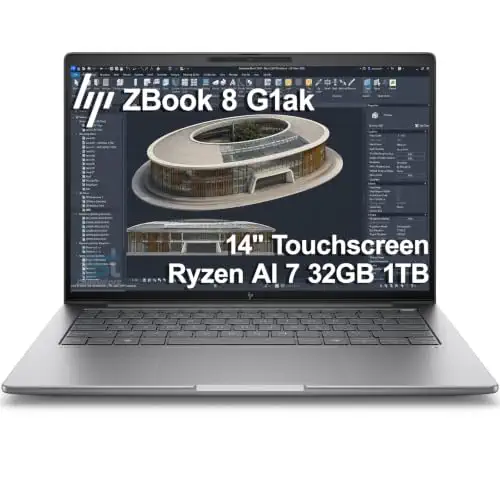


A 14-inch AMD workstation with 32GB of memory and a 50 TOPS NPU, a more portable choice for engineering students who carry their laptop every day.
Prices and availability on Amazon change often.
If your coursework is mostly 2D drafting, coding and office tasks, the 14-inch ZBook 8 G1ak is a more practical companion. It keeps the same 32GB of memory and workstation certifications as the larger model, but in a more portable body.
The reviewers note that engineering students can often get by with integrated graphics for 2D work, and this model follows that logic. It is a sensible middle ground if you want workstation reliability without paying for a discrete GPU you may not use.


A value laptop with an AMD Ryzen AI 7, 16GB of memory and a 2K touchscreen, suited to coursework, office software and light CAD.
Prices and availability on Amazon change often.
For students whose engineering work is mostly coursework, spreadsheets and light drafting, the OmniBook 16 delivers a lot for the price. Its 16GB of DDR5 and 1TB SSD leave room for everyday engineering software, and the 16-inch 2K display is comfortable for long study sessions.
It is light for its size at 3.61 lbs, so it is easy to carry. If your coursework grows into heavy 3D modeling, you will feel the limits of integrated graphics and 16GB of memory, but for most first and second year work it is a sound choice.
Choose the ZBook 8 G1i if your courses involve 3D modeling, simulation or rendering. Choose the ZBook 8 G1ak if you want workstation reliability in a lighter body and mostly do 2D work. Choose the OmniBook 16 if your budget is tight and your work is mostly coursework and office software.
The HP ZBook 8 G1i is our top pick for students who need serious CAD and 3D modeling power. It has an RTX 500 Ada graphics card and 32GB of memory.
The HP OmniBook 16 offers a good balance of price, weight and everyday performance. Its 16GB of memory and 2K touchscreen suit coursework and light CAD.
Not always. 16GB covers most coursework, but 32GB gives more headroom when you run CAD, simulation and a browser at the same time. The reviewers note that high-end specs are more than many engineering students need.
For mechanical work with 3D modeling, the HP ZBook 8 G1i is the strongest choice here. If your work is mostly 2D drafting, the HP ZBook 8 G1ak is a more portable option.
Meet the reviewer
Content Reviewer & Fact-Checker
I’m an e-commerce content reviewer and fact-checker with a background in copywriting and over six years of professional experience. My experience in creating and refining digital content allows me to assess product information, review written content for accuracy and clarity, and help ensure shoppers have access to reliable, informative and engaging content.
Why trust CheckedBest
Our shortlist is built from three Amazon listings checked for stock today, weighed against expert reviews and student discussions about CAD, coding and everyday coursework. Every pick below is available to buy now.
Our expert team tests products when it is needed and researches online and in interviews. Every guide is fact-checked and edited by a real person.
The CheckedBest editorial team · Updated Nov 7, 2026
How we pickEditorial standardsAffiliate disclosureReport a mistake
We earn a commission when you buy through our links, at no extra cost to you. It never decides the winner.
