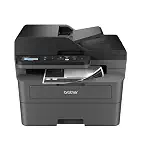
 Brother DCP-L2640DW Wireless Monochrome All-in-OneBest overall
- Print speed
- Up to 36 ppm
- Scan speed
- 23.6 ipm black, 7.9 ipm color
- Duplex
- Automatic
- ADF
- 50 pages
Most recommended by reviewers
Check price at Amazon
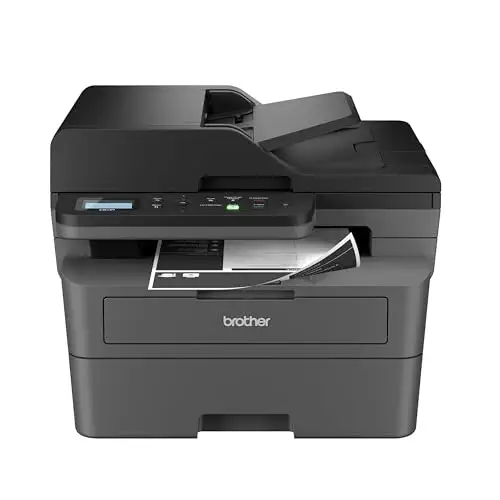 Brother DCP-L2640DW Wireless MonochromeBest overallRunner-up2
 Brother HL-L3290CDW Compact Color LaserBest for color

Reviewed by
Commerce Writer & Editor
Luka Lucheski is a content writer and editor with more than five years of experience in commerce content and digital publishing.
We earn a commission when you buy through our links, at no extra cost to you. How this works.
A laser all-in-one is a sensible choice when most of what you print is text and you want fast, smudge-free pages without fuss. It also handles copying and scanning, which helps a home office that prints a few times a week.
For home use, the Brother DCP-L2640DW Wireless Monochrome All-in-One is the printer to start with. It is widely recommended for home use: reliable, cheap to run, and fast enough for daily documents. The two other picks offer a bigger jump in color and a lower-cost mono option.
1 Brother DCP-L2640DW Wireless Monochrome All-in-One | 2 Brother HL-L3290CDW Compact Color Laser All-in-One | 3 Canon imageCLASS MF462dw II Wireless Monochrome Laser | |
|---|---|---|---|
| Best for | Best overall | Best for color | Best budget mono |
| Print speed | Up to 36 ppm | Up to 25 ppm black and color | Up to 37 ppm |
| Duplex | Automatic | Automatic | Not listed |
| Connectivity | Dual-band Wi-Fi, Ethernet, USB | Wi-Fi, Wi-Fi Direct, USB | Wireless, mobile printing |
| Check price at Amazon | Check price at Amazon | Check price at Amazon |
Brother DCP-L2640DW Wireless Monochrome All-in-OneBest overallMost recommended by reviewers
Check price at Amazon Brother HL-L3290CDW Compact Color Laser All-in-OneBest for color
 Canon imageCLASS MF462dw II Wireless Monochrome LaserBest budget mono


A compact black-and-white laser that prints, copies and scans with duplex printing built in.
Most recommended by reviewers
Check price at AmazonPrices and availability on Amazon change often.
One catchBlack and white only. If you print color often, step up to a color model.
Owners who print mostly documents keep recommending this one. It is reliable, quiet enough for a shared room, and the running cost stays low because toner lasts. The 50-page feeder and automatic duplex take most of the work out of multi-page jobs.
It is not a photo printer, and it does not do color. For a home office that handles bills, forms and reports, that trade-off is the right one.


A color laser all-in-one for home offices that need color without a big machine.
Prices and availability on Amazon change often.
If color matters to you, this is the Brother that owners point to as a middle ground. It prints color at the same 25 pages per minute as black and white, and the high-yield cartridges keep the cost per page from climbing too fast.
The price is steep for a home printer, and the lack of a scan feeder is a real limit for anyone scanning stacks of paper. Choose it for color, not for scanning.


A fast mono all-in-one with fax, a color touchscreen and a three-year warranty.
Prices and availability on Amazon change often.
One expert review picked the Canon imageCLASS MF462dw as a no-compromise mono laser for its category. It keeps its speed through duplex jobs and offers a three-year warranty, which is a useful safety net for a machine you will use every week.
It is the most expensive mono option we considered, so its value depends on whether you need the speed and the fax.
If you print mostly text, choose a mono laser like the Brother DCP-L2640DW. If you also print color often, step up to the Brother HL-L3290CDW. For fax and a long warranty, the Canon is the strongest mono option.
If you print photos often, a laser is not the right tool. Laser output is sharp for text, but it cannot match a good inkjet on photos. If you print only a few pages a month, check the drum and toner costs before choosing.
Owners report several years of reliable home use on modest print volumes, provided the drum and toner are replaced on schedule. Check the rated monthly volume before you buy.
Use the manufacturer's app or built-in mobile support such as AirPrint or Mopria. All picks here support mobile printing over Wi-Fi.
Availability and price vary by country. The picks above are Amazon US listings; check the same model on your local Amazon site before buying.
The Brother HL-L3290CDW is the color pick here. It prints color and mono at 25 ppm with duplex, but it costs more to buy and run than a mono laser.
Laser printers give sharp text, resist smudging and cost less per page for documents. Inkjets are better for photos and usually cost less to buy, but ink is more expensive per page.
Meet the reviewer
Commerce Writer & Editor
Luka Lucheski is a content writer and editor with more than five years of experience in commerce content and digital publishing. He specializes in product reviews, buying guides, and comparison content. Over the years, he has edited and reviewed hundreds of articles across a wide range of categories, from tech and software to ecommerce and everyday consumer products.
Why trust CheckedBest
We built this shortlist from three Amazon listings, all in stock now, weighed against recommendations from editorial reviews and owner forums. The picks are ranked by how well each one fits a home office with modest print volume.
Our expert team tests products when it is needed and researches online and in interviews. Every guide is fact-checked and edited by a real person.
The CheckedBest editorial team · Updated Nov 8, 2026
How we pickEditorial standardsAffiliate disclosureReport a mistake
We earn a commission when you buy through our links, at no extra cost to you. It never decides the winner.
