 MSI MPG 271QR X50Best overall
- Resolution
- 2560 x 1440
- Refresh rate
- 500Hz
- Response time
- 0.03ms GtG
- Panel
- QD-OLED
Most recommended by reviewers
Check price at Amazon

Reviewed by
Fact checker and editor
An experienced e-commerce editor and fact-checker specialising in product information, pricing, specifications and online retail content.
We earn a commission when you buy through our links, at no extra cost to you. How this works.
This guide is for competitive players who want the smoothest possible motion from a 500Hz monitor, and it only pays off if your games can push frame rates close to 500fps. Most of the 500Hz options available now are 27-inch 1440p OLED panels, and many look nearly identical on paper, so the differences come down to features and price.
The MSI MPG 271QR X50 comes first in this guide. It pairs a 500Hz QD-OLED panel with strong connectivity, including DisplayPort 2.1 and USB-C with 98W power delivery, and reviewers consider it the best balance of performance and value. The Samsung Odyssey OLED G6 is the budget route, and the ASUS-free INNOCN GA27M1Q is the lowest-priced 500Hz OLED in this group.
1 MSI MPG 271QR X50 | 2 Samsung Odyssey OLED G6 (G60SF) | 3 INNOCN GA27M1Q | |
|---|---|---|---|
| Best for | Best overall | Best value | Lowest price |
| Resolution | 2560 x 1440 | 2560 x 1440 | 2560 x 1440 |
| Refresh rate | 500Hz | 500Hz | 500Hz (48Hz to 500Hz VRR) |
| Response time | 0.03ms GtG | 0.03ms GtG | 0.03ms |
| Panel | QD-OLED | QD-OLED | QD-OLED, 99% DCI-P3 |
| Ports | DisplayPort 2.1, HDMI 2.1, USB-C 98W | Not listed | 2 x DisplayPort, 2 x HDMI |
| Check price at Amazon | Check price at Amazon | Check price at Amazon |
MSI MPG 271QR X50Best overallMost recommended by reviewers
Check price at Amazon Samsung Odyssey OLED G6 (G60SF)Best value
 INNOCN GA27M1QLowest price


A 27-inch 1440p 500Hz QD-OLED monitor with the strongest productivity features in this group.
Most recommended by reviewers
Check price at AmazonPrices and availability on Amazon change often.
Reviewers call the MPG 271QR X50 the best balance of performance, features, connectivity, OLED protection and overall value. It has the same 500Hz QD-OLED core as its rivals, but adds USB-C with Power Delivery, a KVM switch and an AI Care Sensor that detects when you leave the desk.
If you want a single monitor that handles gaming and desk work, this is the one to buy.

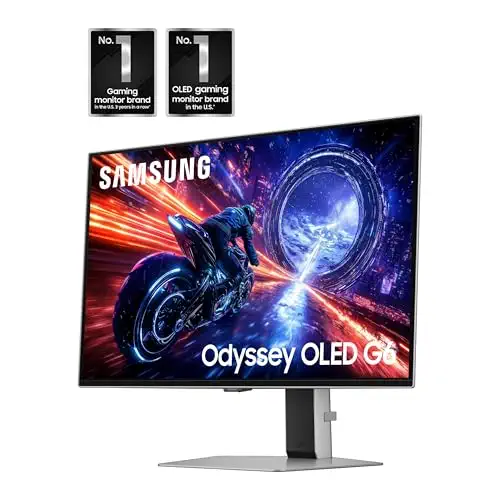

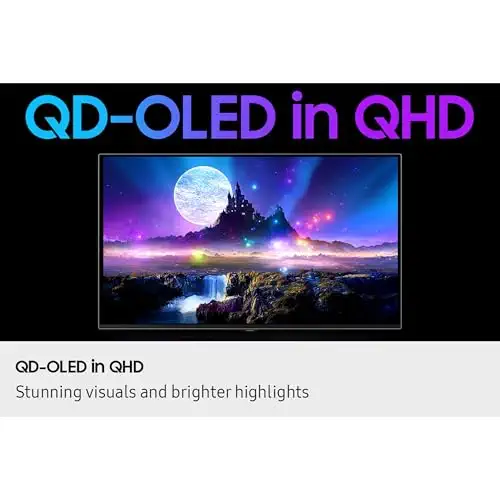

The most affordable route into a 27-inch 1440p 500Hz OLED, aimed squarely at gaming.
Prices and availability on Amazon change often.
It skips the productivity features of the MSI, so it suits buyers who only want gaming performance.
One expert review rates the sibling S27FG60 as about as close to perfect as a gaming monitor can get, and the same panel is used here.


A budget-priced 27-inch 1440p 500Hz QD-OLED with G-SYNC compatibility.
Prices and availability on Amazon change often.
The INNOCN is the cheapest way to get a 500Hz QD-OLED with G-SYNC compatibility. It has the same 0.03ms response and wide colour gamut as the pricier models, with a sensible port selection for gaming consoles and Macs.
No expert review in our set tested it, so judge it on the listing and buy from a retailer with a clear return policy.
Refresh rate only helps if your frame rate can keep up, and reviewers note that you rarely reach the full benefit of 500Hz unless you play older games at near 500fps. Pixel response time matters at least as much as the Hz figure, which is why these monitors are OLED. If you use the screen for static desktop work, check the burn-in advice before buying.
For most players, yes. Reviewers note you need frame rates close to 500fps to use the full refresh rate, which few games reach at high settings. A strong GPU and a fast-responding panel are what make it worthwhile.
The benefit is smaller than the jump from 60Hz to 144Hz, and it shows most in fast motion and competitive play. Commenters argue 240Hz is enough for most people, but the lowest motion blur available is what 500Hz OLEDs offer.
Yes. The 500Hz monitors in this guide are current 27-inch 1440p QD-OLED panels and are available to buy on Amazon now.
The MSI MPG 271QR X50 is our top pick, because reviewers consider it the best balance of performance, features and value among the 500Hz OLEDs.
All three picks in this guide are 1440p 500Hz OLEDs. The MSI MPG 271QR X50 has the most features, the Samsung G60SF is cheapest among the well-reviewed options, and the INNOCN GA27M1Q is the lowest-priced.
For CS2, the Samsung Odyssey OLED G6 is a strong pick because it is built for gaming and costs less. Reviewers say it has very low input lag, and a GPU that can deliver high frame rates is the bigger factor.
Meet the reviewer
Fact checker and editor
An experienced e-commerce editor and fact-checker specialising in product information, pricing, specifications and online retail content. Focused on ensuring accuracy, credibility and consumer confidence through clear, reliable and informative content.
Why trust CheckedBest
We built this shortlist from three Amazon listings, each checked for current stock. We weighed what expert reviewers said about panel type, refresh rate, response time, and connectivity against what each listing states.
Our expert team tests products when it is needed and researches online and in interviews. Every guide is fact-checked and edited by a real person.
The CheckedBest editorial team · Updated Nov 8, 2026
How we pickEditorial standardsAffiliate disclosureReport a mistake
We earn a commission when you buy through our links, at no extra cost to you. It never decides the winner.
