 Bodno Magicard 400XBest overall
- Sides
- Dual-sided
- Ribbon
- YMCKO color, 300 prints included
- Security
- HoloKote watermark
- Warranty
- 4 years
Most recommended by reviewers
Check price at Amazon

Reviewed by
Commerce Writer & Editor
Luka Lucheski is a content writer and editor with more than five years of experience in commerce content and digital publishing.
We earn a commission when you buy through our links, at no extra cost to you. How this works.
An ID card printer turns out photo badges for staff, students or members, and the right one depends on how many cards you print and whether you need one side or two.
Our top pick is the Bodno Magicard 400X, a dual-sided kit with supplies and software included. Below it, the other picks cover budget, portable, hand-fed and one-off printing.
1 Bodno Magicard 400X | 2 Bodno Magicard Pronto | 3 Bodno Seaory S25 | 4 Evolis Zenius 2 | 5 Bodno Seaory S26 | |
|---|---|---|---|---|---|
| Best for | Best overall | Best for one-off cards | Best budget | Best for faster single-sided runs | Best for larger batches |
| Sides | Dual-sided | Single-sided | Single-sided | Single-sided | Single-sided |
| Ribbon | YMCKO color, 300 prints included | Not listed | Seaory 11011 color, 100 prints included | 200-capacity color, 100 blank cards included | Seaory 11011 color, 100 prints included |
| Warranty | 4 years | 2 years | 2 years | Not listed | 2 years |
| Check price at Amazon | Check price at Amazon | Check price at Amazon | Check price at Amazon | Check price at Amazon |
Bodno Magicard 400XBest overallMost recommended by reviewers
Check price at Amazon Bodno Magicard ProntoBest for one-off cards
 Bodno Seaory S25Best budget
 Evolis Zenius 2Best for faster single-sided runs
 Bodno Seaory S26Best for larger batches


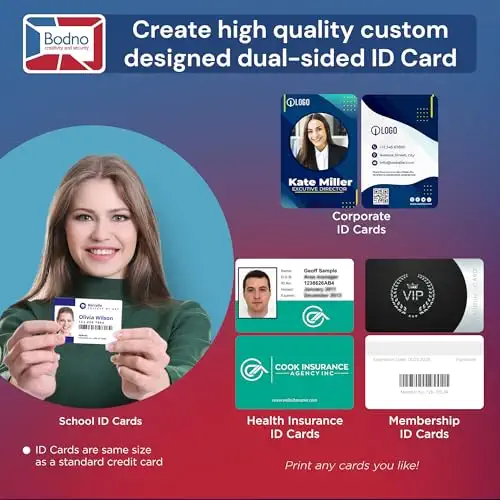


A dual-sided kit that prints photo and barcode on both sides in one pass.
Most recommended by reviewers
Check price at AmazonPrices and availability on Amazon change often.
For a team that needs proper ID badges with photos on both sides, the Bodno Magicard 400X is the pick we'd choose for this search.
The 400X prints the photo and logo on the front and a barcode or emergency information on the back in one pass, so there is no re-feeding. The kit arrives with a 300-print YMCKO color ribbon, starter supplies and a lifetime license for Bodno ID software, which covers templates and drag-and-drop design on Windows and Mac. Cards also get a HoloKote watermark to deter copying, and the 4-year warranty is the longest among the picks. One owner noted the printer was being offered at half price, which suggests resale value holds up.
It is the most expensive option on this page, so it only makes sense if you need two-sided cards or built-in security. If you don't, the single-sided models cost less.
If it's not for you, the Bodno Seaory S25 suits budget-minded buyers who print one badge at a time, and the Evolis Zenius 2 suits anyone who needs faster single-sided runs with a 50-card feeder.
The 400X does the most useful thing a badge printer can do: it prints the photo and logo on the front and barcode or emergency information on the back without re-feeding the card. The kit also includes a 300-print YMCKO ribbon and starter supplies, so it prints the day it arrives.
The HoloKote watermark adds a secure layer to every card, and the four-year warranty is the longest on this page. It is the right buy when you need two-sided cards from day one.


A compact manual-feed printer for small batches and single cards.
Prices and availability on Amazon change often.
The Pronto suits a small office that prints a few cards at a time. A community member describes using one for years for low-volume printing, and says it is easy to use and includes basic ID software.
It is not built for batches. If you print more than a handful of cards at once, one of the feeder models on this page is the better fit.

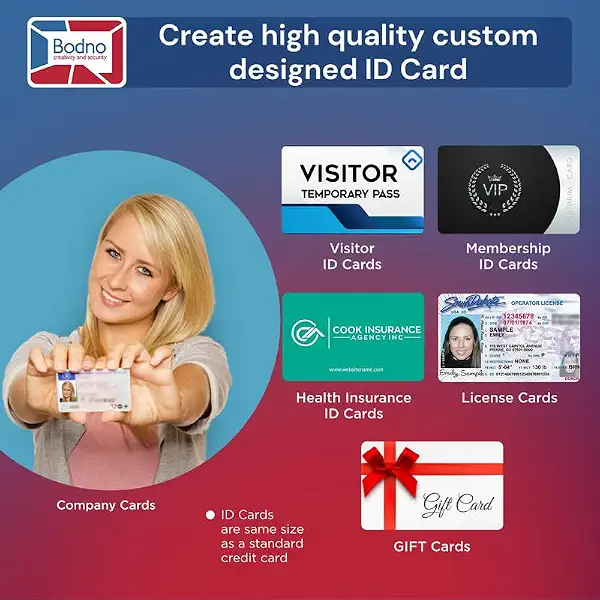


A hand-fed single-sided printer with supplies and software at a lower price.
Prices and availability on Amazon change often.
The Seaory S25 gives you a complete starter kit for less than most printers on this page. It runs on Windows, Mac and Linux and includes a Bronze Edition software license for the life of the printer.
It is hand-fed, so it is best for printing badges on demand rather than in batches. For a larger, faster budget printer, the Evolis Zenius 2 sits higher on price but prints more per hour.


A newer single-sided printer that prints more cards per hour, with a feeder.
Prices and availability on Amazon change often.
The Zenius 2 is the faster, more practical single-sided option here. It prints 180 full-color cards per hour and has a 50-card feeder, so it handles a day's worth of staff badges without constant attention.
Community members describe the original Zenius as a great entry-level single-sided printer, and this is its newer replacement.


A single-sided printer with supplies, camera capture and cross-platform software.
Prices and availability on Amazon change often.
The Seaory S26 is the S25 with a sharper print resolution of up to 300 x 1200 dpi and camera capture built into the Bronze Edition software. That makes it a sensible choice when you want to photograph staff directly rather than import photos.
It is still single-sided and hand-fed, so it fits small to mid-size organizations printing badges as people arrive.
Start with volume. For a few cards at a time, a manual-feed printer such as the Pronto or Seaory is enough. For batches, look at the feeder and cards per hour.
Then check sides. If your cards need a photo on the front and barcode or emergency details on the back, a dual-sided printer saves a second pass.
Finally, confirm the printer works with your access control software before buying, since the software often limits which printer you can use.
If you print only a couple of cards a year, having them printed by a third party may be cheaper than buying a printer and supplies.
A printer makes sense when you need cards on demand, when you need a secure hologram or encoding, or when you print in volume.
The Bodno Magicard 400X is our top pick for PVC cards, since it prints both sides and includes supplies. For single-sided work, the Evolis Zenius 2 prints faster.
For a small business with a few staff, the Bodno Magicard Pronto or Seaory S25 cover occasional badges at a lower price. Choose the Zenius 2 if you print a day's worth of badges at once.
You can, but a community member notes the cheap way is to print the template on label sheets and stick them to a blank card. A dedicated printer gives a more durable, professional result.
The Bodno Magicard 400X and Magicard range use HoloKote, which adds a secure watermark to each card. Check the feature list on the listing you choose.
Bodno ID software, Bronze Edition, comes with several picks and includes templates and drag-and-drop design. It is a good starting point if you do not already have software from your access control system.
Meet the reviewer
Commerce Writer & Editor
Luka Lucheski is a content writer and editor with more than five years of experience in commerce content and digital publishing. He specializes in product reviews, buying guides, and comparison content. Over the years, he has edited and reviewed hundreds of articles across a wide range of categories, from tech and software to ecommerce and everyday consumer products.
Why trust CheckedBest
Every listing on this page is in stock on Amazon right now. We built the shortlist from manufacturer and retailer guidance on which printer suits which job, and from owner and community discussions.
Our expert team tests products when it is needed and researches online and in interviews. Every guide is fact-checked and edited by a real person.
The CheckedBest editorial team · Updated Nov 7, 2026
How we pickEditorial standardsAffiliate disclosureReport a mistake
We earn a commission when you buy through our links, at no extra cost to you. It never decides the winner.
