 Xencelabs Pen Display 16Best pen display
- Screen size
- 16 inch
- Resolution
- 4K OLED
- Weight
- 2.67 lb
- Thickness
- 0.47 in
Most recommended by reviewers
Check price at Amazon
 Xencelabs Pen Display 16Best pen displayRunner-up2
 Wacom Intuos Pro MediumBest pen tablet overall

Reviewed by
Commerce Writer & Editor
Luka Lucheski is a content writer and editor with more than five years of experience in commerce content and digital publishing.
We earn a commission when you buy through our links, at no extra cost to you. How this works.
A drawing tablet lets you sketch, paint and edit straight on a surface with a pen, which is far more precise than a mouse. Pick the type first: a pen tablet sends your strokes to a separate screen, a pen display lets you draw right on the screen, and a standalone tablet needs no computer at all.
The Xencelabs Pen Display 16 is our top pick for most people: a sharp 4K OLED screen, light and portable, and good value as a bundle. The rest of the list covers cheaper pen tablets, a standalone option and a budget choice.
1 Xencelabs Pen Display 16 | 2 Wacom Intuos Pro Medium | 3 HUION Kamvas 13 | 4 Wacom MovinkPad 11 | 5 Frunsi RubensTab T11 Pro | |
|---|---|---|---|---|---|
| Best for | Best pen display | Best pen tablet overall | Best budget pen display | Best standalone drawing tablet | Best budget pick |
| Screen size | 16 inch | Not listed | 13.3 inch | 11.45 inch | 10.1 inch Full HD |
| Pressure levels | 3g to 500g curve | 8,192 | 16,384 | 8,192 | Not listed |
| Check price at Amazon | Check price at Amazon | Check price at Amazon | Check price at Amazon | Check price at Amazon |
Xencelabs Pen Display 16Best pen displayMost recommended by reviewers
Check price at Amazon Wacom Intuos Pro MediumBest pen tablet overall
 HUION Kamvas 13Best budget pen display
 Wacom MovinkPad 11Best standalone drawing tablet
 Frunsi RubensTab T11 ProBest budget pick


A 16-inch 4K OLED screen you draw on directly, light enough to carry.
Most recommended by reviewers
Check price at AmazonPrices and availability on Amazon change often.
The Xencelabs Pen Display 16 Bundle is our pick for anyone who wants a large, sharp screen to draw directly on.
At 16 inches, it is the largest screen among our picks, and its 4K OLED panel covers up to 98% of Adobe RGB, which reviewers describe as excellent for the price. Owners and reviewers note the build feels reassuringly solid while still being light and portable at 2.67 lb and 0.47 inches thick. The Quick Keys remote adds a useful set of customizable shortcuts, and the included carrying case keeps everything together.
The display itself has no touch or gesture controls, so you will rely on the Quick Keys remote for shortcuts and navigation. It also needs a computer to work, unlike the standalone MovinkPad and Frunsi options.
If it's not for you, the Wacom Intuos Pro Medium suits people who want a cheaper, no-screen tablet with dials and wireless options, while the Wacom MovinkPad 11 suits anyone who wants to draw without a computer.
Reviewers call this the best value pen display on the market. The 4K OLED panel covers a wide colour range, and the build feels solid while staying light enough to carry.
The bundled Quick Keys remote matters because the display has no touch controls, so it's worth buying as part of the set.


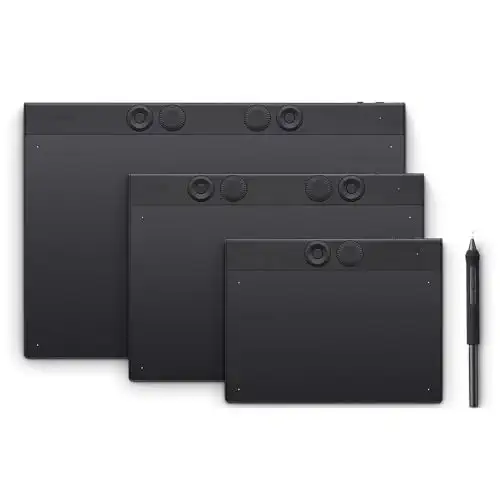

The fastest, most streamlined pen tablet for photo editing, with customisable controls.
Prices and availability on Amazon change often.
Reviewers named this the best pen tablet overall, with a streamlined setup for photo editing and a sturdy magnesium build.
Wireless or USB connection and the 16:9 format make it a good fit for multiple monitors.

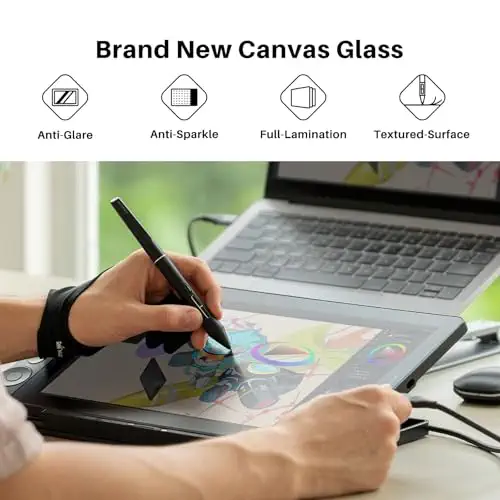


A 13-inch pen display with good colour and calibration for less money.
Prices and availability on Amazon change often.
This is the budget route to drawing directly on a screen. Colour accuracy is strong for the price, and the dual dials help a lot with an everyday workflow.
Readers on the drawing tablet forum point to its value, though one reported it did not work with a phone.


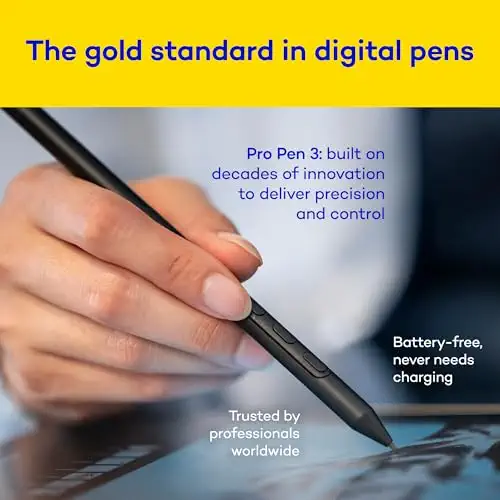
An Android drawing tablet that works without a computer and fits in a bag.
Prices and availability on Amazon change often.
If you want to draw away from the desk, this is the standalone option. The matte screen feels like paper and the pen is precise.
It is lighter than most laptops and includes apps and trials out of the box.

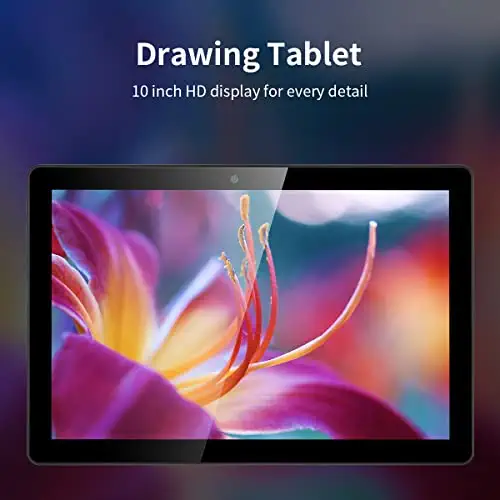
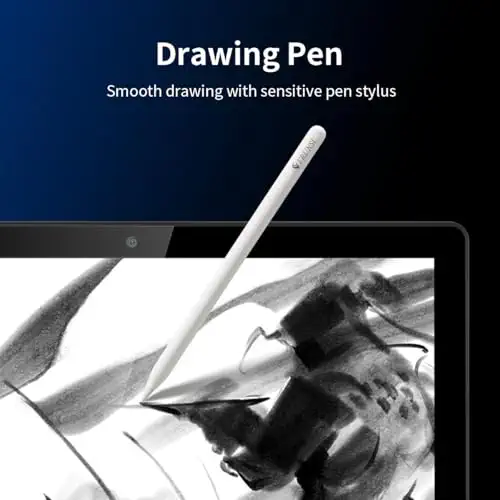


The cheapest standalone option, a basic drawing tablet for beginners and students.
Prices and availability on Amazon change often.
Budget standalone tablets are less durable than premium models, so expect to replace this sooner. For a student or a hobbyist testing the waters, it's a low-risk start.
Battery life is shorter, but it covers long sketching sessions with a power bank.
A pen tablet is an economic option that suits budgets and posture, since you look up at a separate screen. A pen display lets you draw directly on the screen, which many artists find more natural but costs more. A standalone tablet needs no computer, so it suits drawing away from the desk.
Reviewers recommend a 16-inch pen display as a good default: big enough to draw comfortably but still portable. Smaller screens feel cramped for broad strokes from the shoulder, so test the size on paper before buying a small one.
If you only want to experiment, a cheap pen tablet is enough and there is no need to pay for a premium model. If your software only runs on a desktop, a standalone tablet will not help, so go for a pen tablet or pen display instead.
Wacom's premium pen tablets are often rated higher for build and precision, while Huion offers strong colour and value for less money. Reviewers saw Wacom as the leader for dedicated drawing devices, though it costs more.
A budget pen tablet or the Huion Kamvas 13 is a good start for beginners. They give you a feel for drawing without a large outlay, and you can upgrade later.
Yes, if you want precise control that a mouse can't match. A pen tablet with up to 8,192 pressure levels gives far finer strokes, and an expensive device can pay for itself through freelance work.
The Xencelabs Pen Display 16 Bundle is the best all-round choice. It has a sharp 4K OLED screen and is light enough to carry, and the Huion Kamvas 13 is a budget alternative.
For animation, a pen display with a large screen works best because you can see the frame clearly. The Xencelabs Pen Display 16 suits this well, and the Huion Kamvas 16 is a cheaper larger option.
Meet the reviewer
Commerce Writer & Editor
Luka Lucheski is a content writer and editor with more than five years of experience in commerce content and digital publishing. He specializes in product reviews, buying guides, and comparison content. Over the years, he has edited and reviewed hundreds of articles across a wide range of categories, from tech and software to ecommerce and everyday consumer products.
Why trust CheckedBest
Every product shown is available to buy on Amazon right now, and each pick is weighed on its specs, price and what reviewers say it does well.
Our expert team tests products when it is needed and researches online and in interviews. Every guide is fact-checked and edited by a real person.
The CheckedBest editorial team · Updated Nov 7, 2026
How we pickEditorial standardsAffiliate disclosureReport a mistake
We earn a commission when you buy through our links, at no extra cost to you. It never decides the winner.
