 iVANKY FusionDock UltraBest overall
- Ports
- 26-in-1
- Display support
- Dual 8K@60Hz or quad 6K@60Hz
- Networking
- 10GbE RJ45
- Power delivery
- 140W
Most recommended by reviewers
Check price at Amazon

Reviewed by
Commerce Writer & Editor
Luka Lucheski is a content writer and editor with more than five years of experience in commerce content and digital publishing.
We earn a commission when you buy through our links, at no extra cost to you. How this works.
A MacBook Pro dock turns one cable into a full desk setup, with extra monitors, wired internet and fast storage. Compatibility depends on your chip and how many screens you run, so choose by that first.
Our top pick is the iVANKY FusionDock Ultra. It is the strongest dock here for Apple Silicon Macs that need multiple high-resolution displays and 10GbE networking. The other two picks cover budget and compact setups.
1 iVANKY FusionDock Ultra | 2 Tobenone 17-in-2 Docking Station | 3 MOKiN 9-in-1 Docking Station | |
|---|---|---|---|
| Best for | Best overall | Best value | Best budget |
| Ports | 26-in-1 | 17-in-2 with 7 USB ports | 9-in-1 with HDMI, USB and Ethernet |
| Display support | Dual 8K@60Hz or quad 6K@60Hz | Dual 4K@60Hz via HDMI | 4K@60Hz on one HDMI, or 4K@30Hz on two |
| Networking | 10GbE RJ45 | 2.5G Ethernet | Gigabit Ethernet |
| Power delivery | 140W | 150W adapter, up to 100W to MacBook | 100W PD |
| Compatibility | Apple Silicon Macs only | M1 Pro through M6 MacBook Pro and Intel | MacBook Pro and Air models with USB-C |
| Check price at Amazon | Check price at Amazon | Check price at Amazon |
iVANKY FusionDock UltraBest overallMost recommended by reviewers
Check price at Amazon Tobenone 17-in-2 Docking StationBest value
 MOKiN 9-in-1 Docking StationBest budget


A premium Thunderbolt 5 dock built for high-end Apple Silicon MacBook Pro models that need several high-resolution displays and fast networking.
Most recommended by reviewers
Check price at AmazonPrices and availability on Amazon change often.
One catchIt needs two Thunderbolt ports on the Mac and works only with Apple Silicon models.
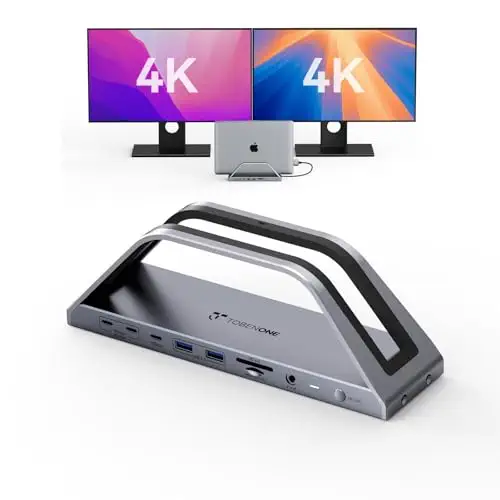



A mid-priced dock with dual 4K display output and a 150W charger for MacBook Pro models that need a tidy desk setup without the premium price.
Prices and availability on Amazon change often.


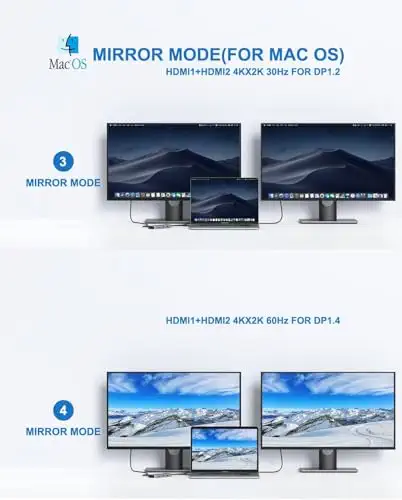
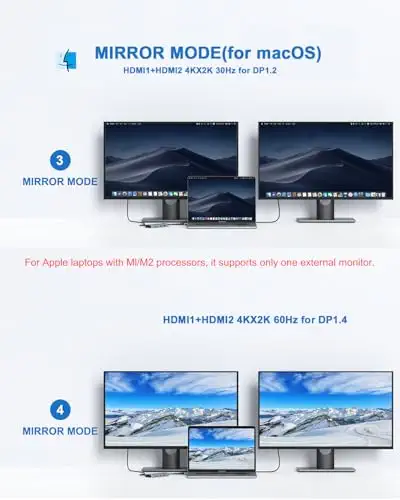
A compact budget dock for a single extra display, basic USB devices and wired networking.
Prices and availability on Amazon change often.
Match the dock to your chip and monitors first. Apple Silicon models with two Thunderbolt ports can run the most displays, while M1, M2 and M3 chips support only one external monitor on many docks.
For most users with a recent Apple Silicon MacBook Pro, the iVANKY FusionDock Ultra is the strongest option, with 26 ports, high-resolution display support and 10GbE networking. For a lower price, the Tobenone 17-in-2 dock covers dual 4K displays.
The iVANKY FusionDock Ultra supports dual 8K or quad 6K displays on Apple Silicon Macs. The Tobenone 17-in-2 dock supports dual 4K@60Hz displays on many models, though M1 to M3 chips support one external monitor only.
The docks on this page are built for macOS. The iVANKY FusionDock Ultra and the Tobenone dock are not compatible with Windows, so check the listing before buying if you use both systems.
Meet the reviewer
Commerce Writer & Editor
Luka Lucheski is a content writer and editor with more than five years of experience in commerce content and digital publishing. He specializes in product reviews, buying guides, and comparison content. Over the years, he has edited and reviewed hundreds of articles across a wide range of categories, from tech and software to ecommerce and everyday consumer products.
Why trust CheckedBest
We built this shortlist from three Amazon listings that are in stock right now, checked against recent expert rankings and owner discussions. Each pick is matched to a specific MacBook Pro chip and monitor setup.
Our expert team tests products when it is needed and researches online and in interviews. Every guide is fact-checked and edited by a real person.
The CheckedBest editorial team · Updated Nov 7, 2026
How we pickEditorial standardsAffiliate disclosureReport a mistake
We earn a commission when you buy through our links, at no extra cost to you. It never decides the winner.
