 Bambu Lab A1Best overall for beginners
- Max print speed
- 500 mm/s
- Acceleration
- 10,000 mm/s²
- Noise
- ≤48 dB
- Calibration
- Full auto
Most recommended by reviewers
Check price at Amazon

Reviewed by
Fact-checker and content editor
Experienced researcher and AI content editor, having worked on various merchant websites.
We earn a commission when you buy through our links, at no extra cost to you. How this works.
A 3D printer is a machine that builds small plastic objects layer by layer from a digital file, and it is a fun way for hobbyists, students and families to make their own parts, toys and gadgets. If you want to get started without spending a fortune, the goal is a printer that is easy to set up, prints well out of the box and doesn't demand hours of tinkering.
The Bambu Lab A1 Combo is our top pick: reviewers found it nearly flawless to set up and praised its print quality, which makes it the safest first printer on a budget. The Elegoo Centauri and the Creality Ender 3 V3 SE cover the rest of the list, with more speed or a more classic, tinker-friendly design.
1 Bambu Lab A1 | 2 ELEGOO Centauri | 3 Creality Ender 3 V3 SE | |
|---|---|---|---|
| Best for | Best overall for beginners | Best budget for quality | Best tinker-friendly option |
| Max print speed | 500 mm/s | 500 mm/s | 250 mm/s |
| Acceleration | 10,000 mm/s² | 20,000 mm/s² | 2,500 mm/s² |
| Noise | ≤48 dB | Not listed | 32-bit silent mainboard |
| Check price at Amazon | Check price at Amazon | Check price at Amazon |
Bambu Lab A1Best overall for beginnersMost recommended by reviewers
Check price at Amazon ELEGOO CentauriBest budget for quality
 Creality Ender 3 V3 SEBest tinker-friendly option


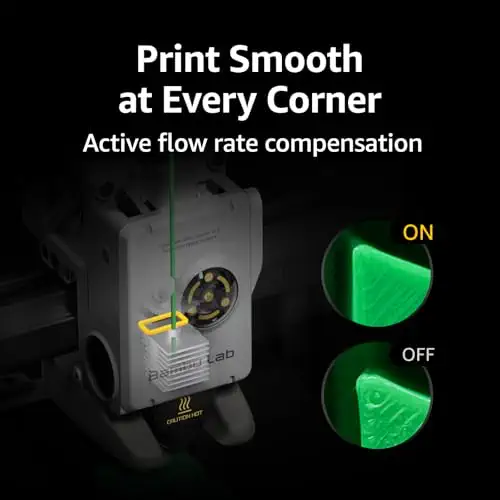

A ready-to-use printer that is quick to set up and prints well for a first machine.
Most recommended by reviewers
Check price at AmazonPrices and availability on Amazon change often.
The Bambu Lab A1 is our pick for beginners who want a printer that mostly sets itself up and then prints quietly and well.
Reviewers note that setup is flawless, backed by detailed guidelines, and that full auto calibration takes the guesswork out of first prints. Print quality is described as excellent, and the A1 runs with a stated noise level of 48 dB or less, which suits a shared room. Its 500 mm/s top speed and 10,000 mm/s² acceleration put it in the fast group, and the 1-Clip nozzle swap keeps routine maintenance simple.
The waste chute, which owners and reviewers call the poop flinger, needs regular clearing. Multi-color printing also requires the AMS lite unit, so either buy the A1 Combo or add AMS lite separately.
If it's not for you, the ELEGOO Centauri suits buyers who want the largest build volume at 256 × 256 × 256 mm and a lower price, though its software needs third-party help, and the Creality Ender 3 V3 SE suits tinkerers who want an open, low-cost machine with a slower 250 mm/s top speed.
Reviewers at one expert review called the setup completely flawless, and their test print came out almost perfect. The A1 runs fast and quiet, and its full auto calibration means you can start printing without learning the fine points first.
The main drawback is the waste chute, which reviewers said needs constant vigilance to stay clear. If you want multi-colour printing later, you will need to buy the AMS Lite separately.


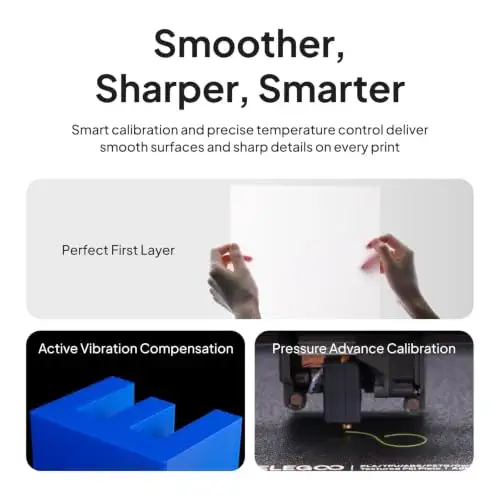
A fast, high-quality printer that punches above its price.
Prices and availability on Amazon change often.
One expert review reviewer said the price doesn't reflect the quality, with finished prints that punch well above the printer's class. It is faster than expected and more stable than many budget machines. The main weakness is the bundled software, which reviewers say needs third-party help to fully overcome.


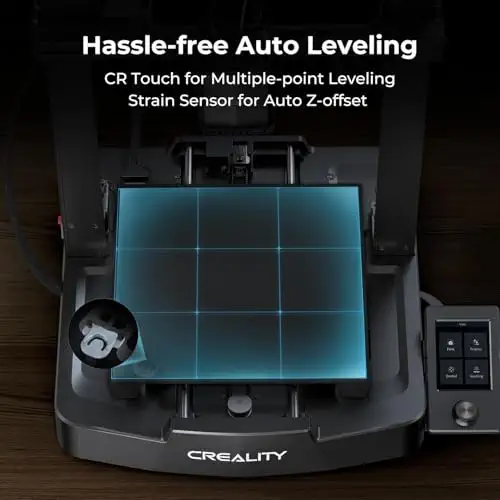


A classic budget printer with auto leveling and a fast direct-drive extruder.
Prices and availability on Amazon change often.
For buyers who want an open, classic design they can upgrade and modify, the Ender 3 V3 SE is a strong budget choice. Its dual Z-axis and linear Y-axis help keep layers aligned, and the auto leveling makes the first layer more reliable. Reviewers in this research did not cover this model, so the praise here is based on the listing's features alone.
Budget printers suit hobbyists, students and families who want to learn the basics or make small parts and toys. If you plan to print large objects or need professional-grade accuracy, you will want to spend more.
Skip a budget printer if you need large build volumes, very fast print speeds for production, or if you plan to modify the machine heavily. A more capable model will save time in those cases.
Yes, for beginners and hobbyists. Reviewers found that budget printers can deliver strong print quality, so a low price doesn't necessarily mean poor results.
The Bambu Lab A1 is our top pick for most beginners, thanks to its easy setup and strong print quality.
Meet the reviewer
Fact-checker and content editor
Experienced researcher and AI content editor, having worked on various merchant websites. Experience in AI transcription, prompt engineering and taxonomy mapping for search engines.
Why trust CheckedBest
Our shortlist is built from three Amazon listings checked for availability, weighed against what expert reviewers said about setup, print quality and ongoing costs. Each pick is in stock and fits a budget-first buyer.
Our expert team tests products when it is needed and researches online and in interviews. Every guide is fact-checked and edited by a real person.
The CheckedBest editorial team · Updated Nov 7, 2026
How we pickEditorial standardsAffiliate disclosureReport a mistake
We earn a commission when you buy through our links, at no extra cost to you. It never decides the winner.
