 Apple Studio Display Tilt StandBest overall
- Screen
- 27-inch 5K Retina
- Brightness
- 600 nits
- Refresh rate
- 60Hz
- Stand
- Tilt-adjustable
Most recommended by reviewers
Check price at Amazon
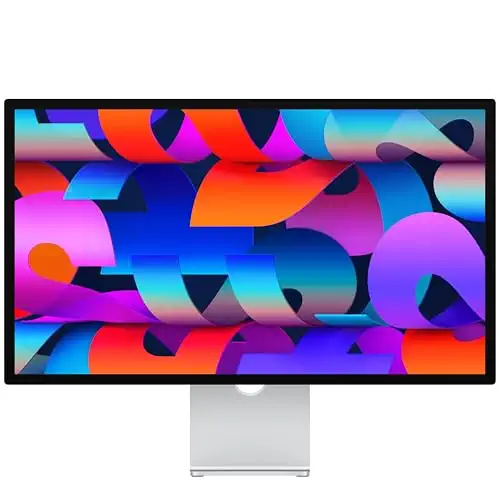 Apple Studio Display Tilt StandBest overallRunner-up2Apple Studio Display Height StandBest for flexible setups
We earn a commission when you buy through our links, at no extra cost to you. How this works.
If you use a Mac for editing, design or long working days, the screen you sit in front of every day is worth getting right. The Apple Studio Display is the obvious choice for Mac owners, but the price and the stand options change the picture a lot.
The Apple Studio Display with standard glass and a tilt-only stand is our top pick: it gives you the 5K panel, the webcam, the speakers and Thunderbolt ports at the base price. Both other picks add a height-adjustable stand, which reviewers say is the main thing to pay extra for.
1 Tilt Stand | 2Height Stand | 3 Older Ports | |
|---|---|---|---|
| Best for | Best overall | Best for flexible setups | Best value |
| Screen | 27-inch 5K Retina | 27-inch 5K Retina | 27-inch 5K Retina |
| Brightness | 600 nits | 600 nits | 600 nits |
| Refresh rate | 60Hz | 60Hz | Not listed |
| Stand | Tilt-adjustable | Tilt and height adjustable | Tilt-adjustable |
| Ports | 2 Thunderbolt 5, 2 USB-C | 2 Thunderbolt 5, 2 USB-C | 1 Thunderbolt 3, 3 USB-C |
| Camera | 12MP Center Stage | 12MP Center Stage | 12MP Ultra Wide |
| Check price at Amazon | Check price at Amazon | Check price at Amazon |
Apple Studio Display Tilt StandBest overallMost recommended by reviewers
Check price at AmazonApple Studio Display Height StandBest for flexible setups Apple Studio Display Older PortsBest value


The Mac owner's default: a 27-inch 5K screen with a webcam, speakers and Thunderbolt ports at the base price.
Most recommended by reviewers
Check price at AmazonPrices and availability on Amazon change often.
For most buyers, the standard-glass tilt model is the Studio Display to pick, pairing a 27-inch 5K Retina panel with a 12MP Center Stage camera and six-speaker sound in one package.
The 5K panel offers P3 wide color and 600 nits of brightness, and reviewers say that brightness is enough for most environments. Owners who work with high-resolution photos say the wide P3 gamut makes colors pop. The two Thunderbolt 5 ports can daisy-chain up to four displays and fast-charge a Mac laptop, and reviewers note it is a great partner for a MacBook Pro, Mac mini or Mac Studio.
Height adjustment is not included, and reviewers say the stand upgrade adds $400 at purchase. The panel is LED-backlit LCD with no real blacks and no HDR support, and reviewers still call it far from a budget option at its $1,599 starting price.
If it's not for you, the tilt and height stand suits a shared or adjustable desk, and the older tilt model with one Thunderbolt 3 port and a 12MP Ultra Wide camera costs less but offers fewer daisy-chain options.
Reviewers see it as the monitor Mac owners are most likely to want. The panel is sharp and colour-accurate, and the camera and speakers are good enough that you may not need extras on your desk.
Standard glass is fine for most home and office lighting. If your room is very bright, the nano-texture option is worth a look, though it adds cost.
The same screen as our top pick, with a stand that also raises and lowers.
Prices and availability on Amazon change often.
If you want the same Studio Display but need the screen at a particular height, this is the version to buy. Reviewers note the stand is the only real difference from the base model.
Choose this only if you will actually move the screen; otherwise the cheaper tilt-only model does the same job.


A lower-priced Studio Display with one Thunderbolt 3 port, aimed at buyers who want the Apple screen for less.
Prices and availability on Amazon change often.
This listing gives you the Studio Display screen and camera for less money, which suits buyers who don't need the newest port layout. Check the port list before buying if you plan to connect several devices.
Mac owners who want a screen that matches their computer, with the webcam and speakers built in, will find these picks suit them best. Reviewers say it is aimed at Mac users rather than general buyers.
Skip these if you need high refresh rates, OLED contrast or HDR. Reviewers note the panel runs at 60Hz and has no HDR support, so gamers and HDR video editors should look elsewhere.
Yes, the screen connects to a Windows PC through its USB-C or Thunderbolt ports. Some features, such as the webcam and speaker controls, work best with a Mac.
Studio Display XDR is a higher-end Apple monitor with stronger HDR specifications. It costs much more than the standard Studio Display and is not one of the picks on this page.
Reviewers say it is worth it for Mac owners who want a screen that complements their computer and can afford the price. Buyers who don't need the webcam or speakers can find cheaper 5K monitors.
Prices change, so check the Amazon listing for the current price.
Yes. It has a 12MP camera, a three-mic array and six speakers with Spatial Audio, which reviewers rate as better than most monitor speakers.
Why trust CheckedBest
This shortlist is built from expert reviews, reader discussions and the current Amazon listings for Apple's Studio Display range. Each listing was checked for stock and price before it was included.
Our expert team tests products when it is needed and researches online and in interviews. Every guide is fact-checked and edited by a real person.
The CheckedBest editorial team · Updated Nov 10, 2026
How we pickEditorial standardsAffiliate disclosureReport a mistake
We earn a commission when you buy through our links, at no extra cost to you. It never decides the winner.
